
Flashing and metal trim design software
Flashing Designer for Custom Sheet Metal Flashings and Metal Trim
Create incredibly detailed profiles with fully customisable tapers, angles, folds, and lengths. Draw flashings and metal trim on site, save templates for profiles you reuse, attach them to the job, and export manufacturer-ready PDFs any sheet metal shop can fabricate.
Web, iOS and Android · Templates · Shop-ready PDFs · Built for roofers and fabricators
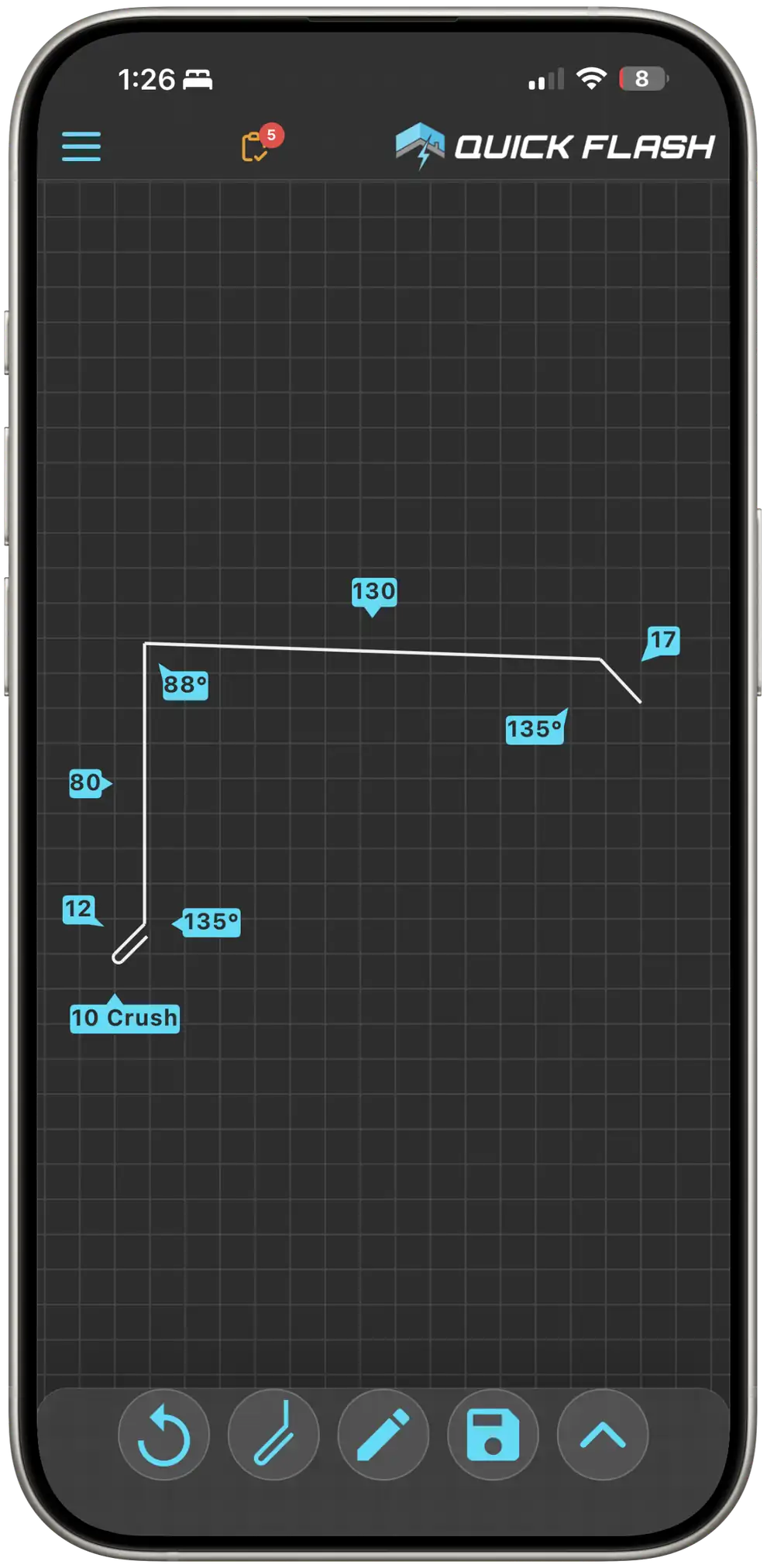
Detailed enough for anything on the roof
Whether your crew says flashings or metal trim, Quick Flash is built for the profiles you actually order: complex custom bends with the geometry the brake needs, not just stock catalogue shapes.
Fully custom tapers
Build incredibly detailed profiles with fully customisable tapers so the shape matches the job, not a fixed catalogue drawing.
Angles and folds
Set bend angles and folds precisely so sheet metal shops and roll formers can fabricate what you drew.
Exact lengths
Control every leg length and overall run length. Work in millimetres or inches depending on how your crew and suppliers measure.
Any custom profile
Hip, gable, eave, apron, trim, fascia, custom gutter, dry pans, trays, back gutter, crickets, window sills, window heads, soakers, jambs, and more.
Save as templates
Save finished flashings and metal trim as templates. Pull up a frequently used profile, change a measurement if needed, then save again so the next order is even faster.
Flashings and metal trim you can draw
From hips and gables to window heads and dry pans, design the profile once, save it as a template when you will need it again, and send it to the shop.
Roof edges and transitions
Hip flashings and hip trim
Including complex mitres and tapered runs
Gable and barge / rake trim
AU/NZ barge, US rake and gable trim
Eave trim and drip edge
Eave flashings, drip edge, and related edge metal
Apron flashings
Wall-to-roof apron and step transitions
Ridge caps and ridge trim
Standard and custom ridge profiles
Valley flashings
Open and closed valley profiles
Gutters, trays, and water control
Custom gutter profiles
Non-standard folds sized to the job
Back gutter
Behind parapets and upstands
Dry pans and trays
Penetration trays and dry pan detailing
Crickets
Cricket and diverter profiles for drainage
Openings and wall interfaces
Window sills
Sill flashings with exact leg lengths
Window heads
Head flashings and head trim
Jambs
Side jamb flashings and returns
Soaker flashings
Soakers for penetrations and junctions
Fascia trim
Fascia and related edge trim
Parapet caps and coping
Parapet and coping metal
Draw it. Taper it. Preview it. Send it to the shop.
Draw the shape, set lengths and angles, add a taper with a tap, then check the bends in 3D before you template or export.
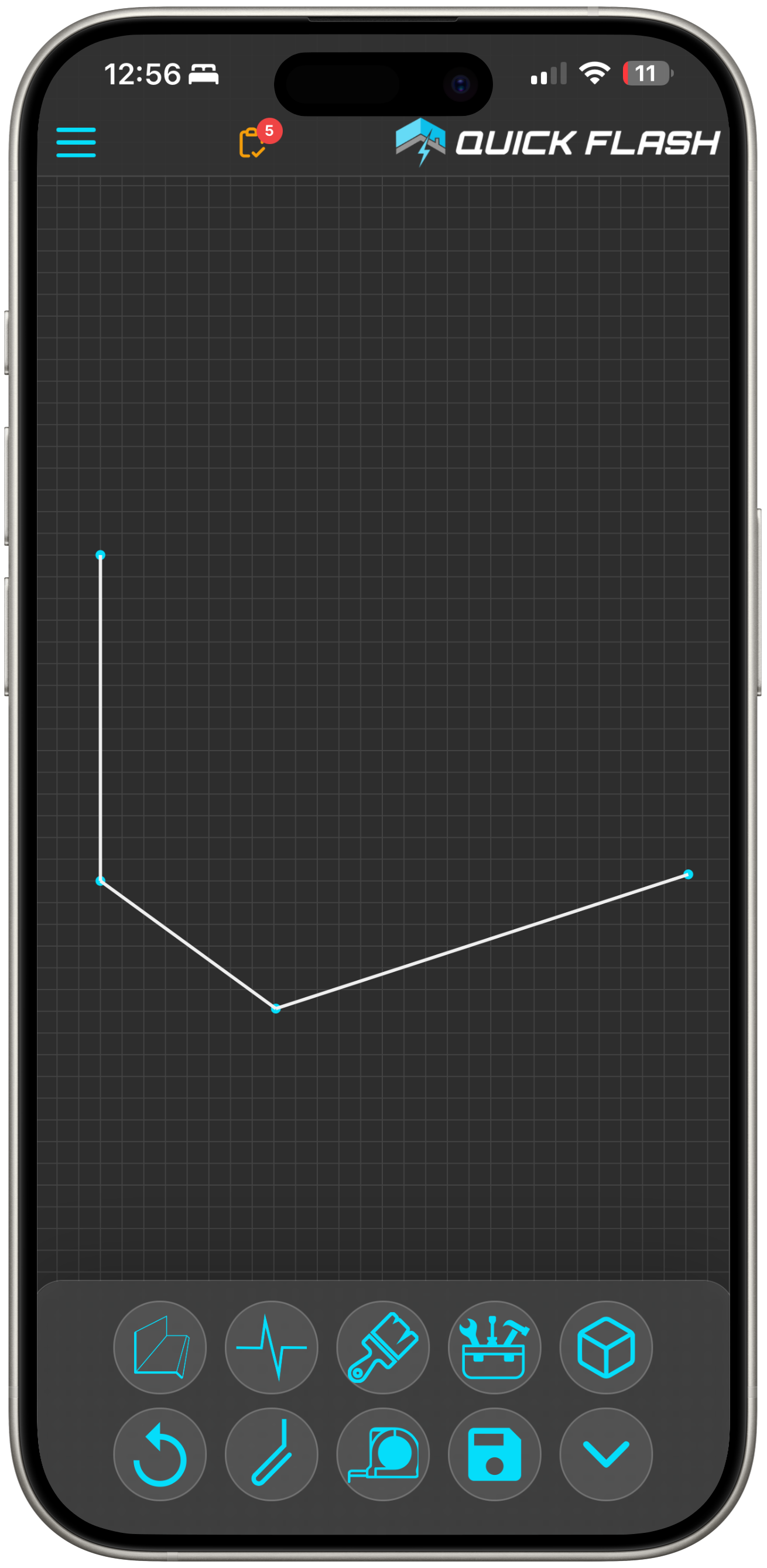
Draw the shape
Tap to place points and build the profile outline on site or in the office. Start simple, then refine until the shape matches what you need bent.
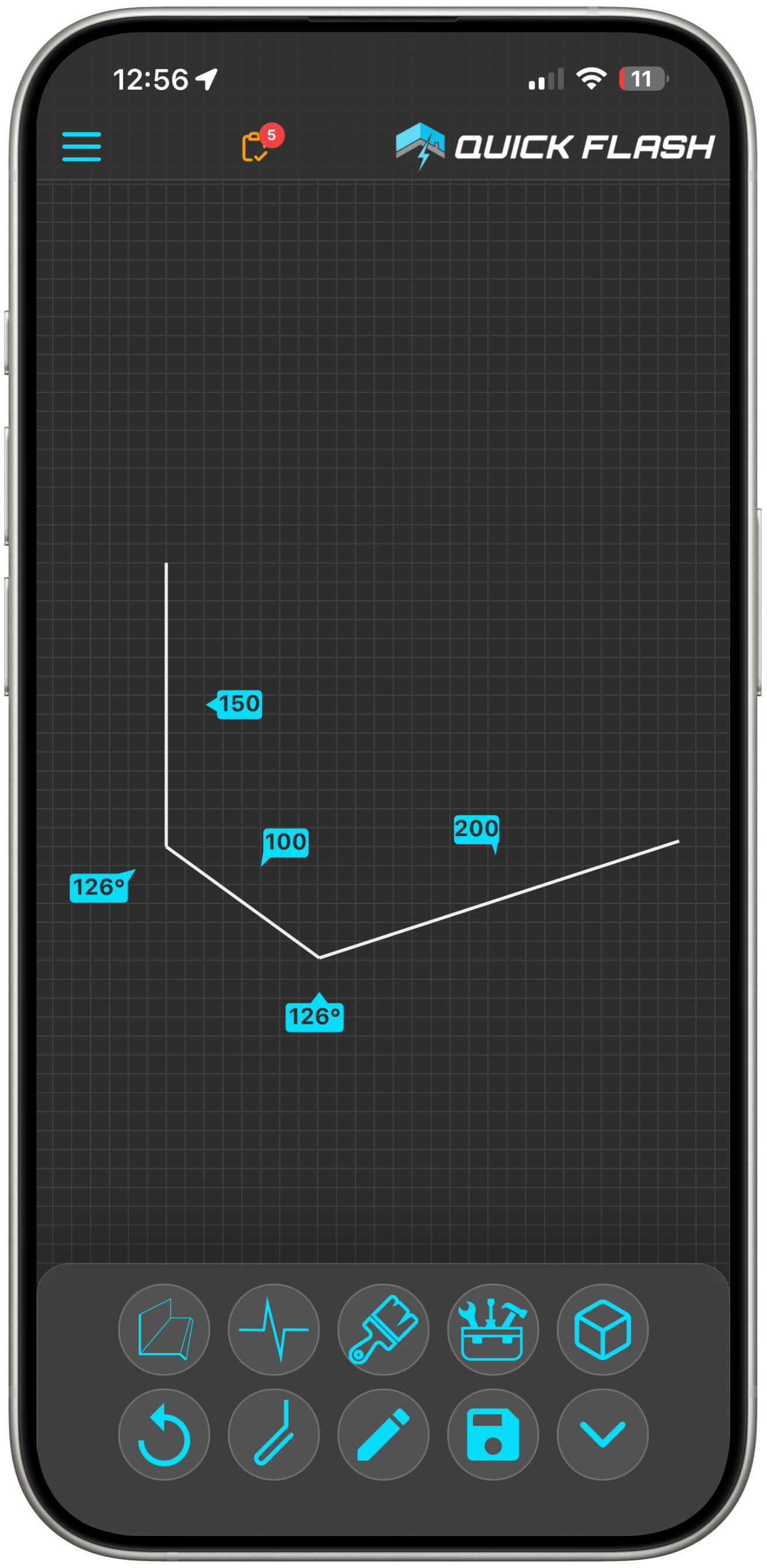
Change lengths and angles
Edit every leg length and bend angle so the sheet metal shop gets exact geometry, not a rough sketch.
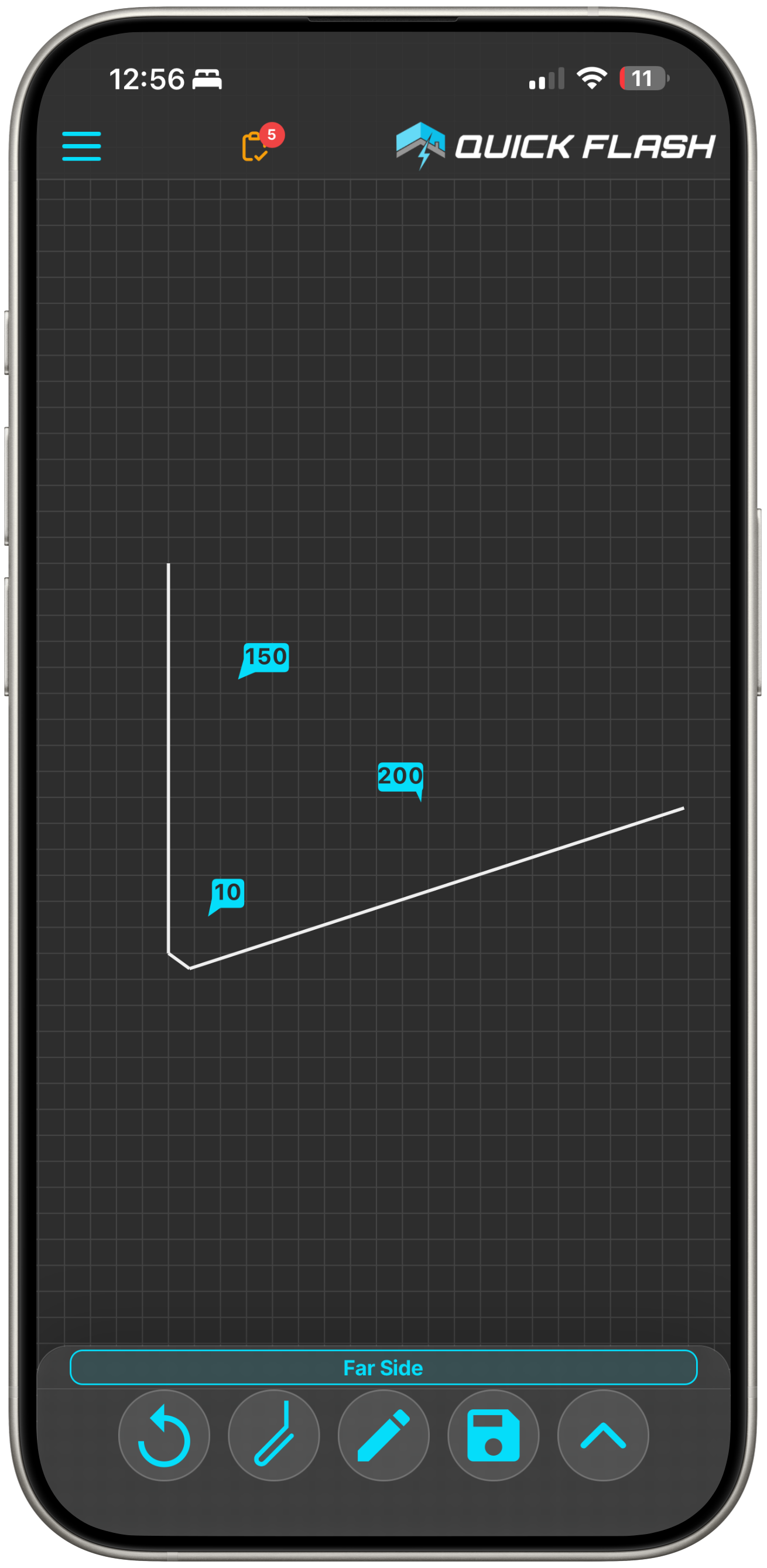
Make a tapered flashing in seconds
Tapers are easy: tap the far-side control and enter the taper dimensions. No need to redraw the whole profile when one end changes.
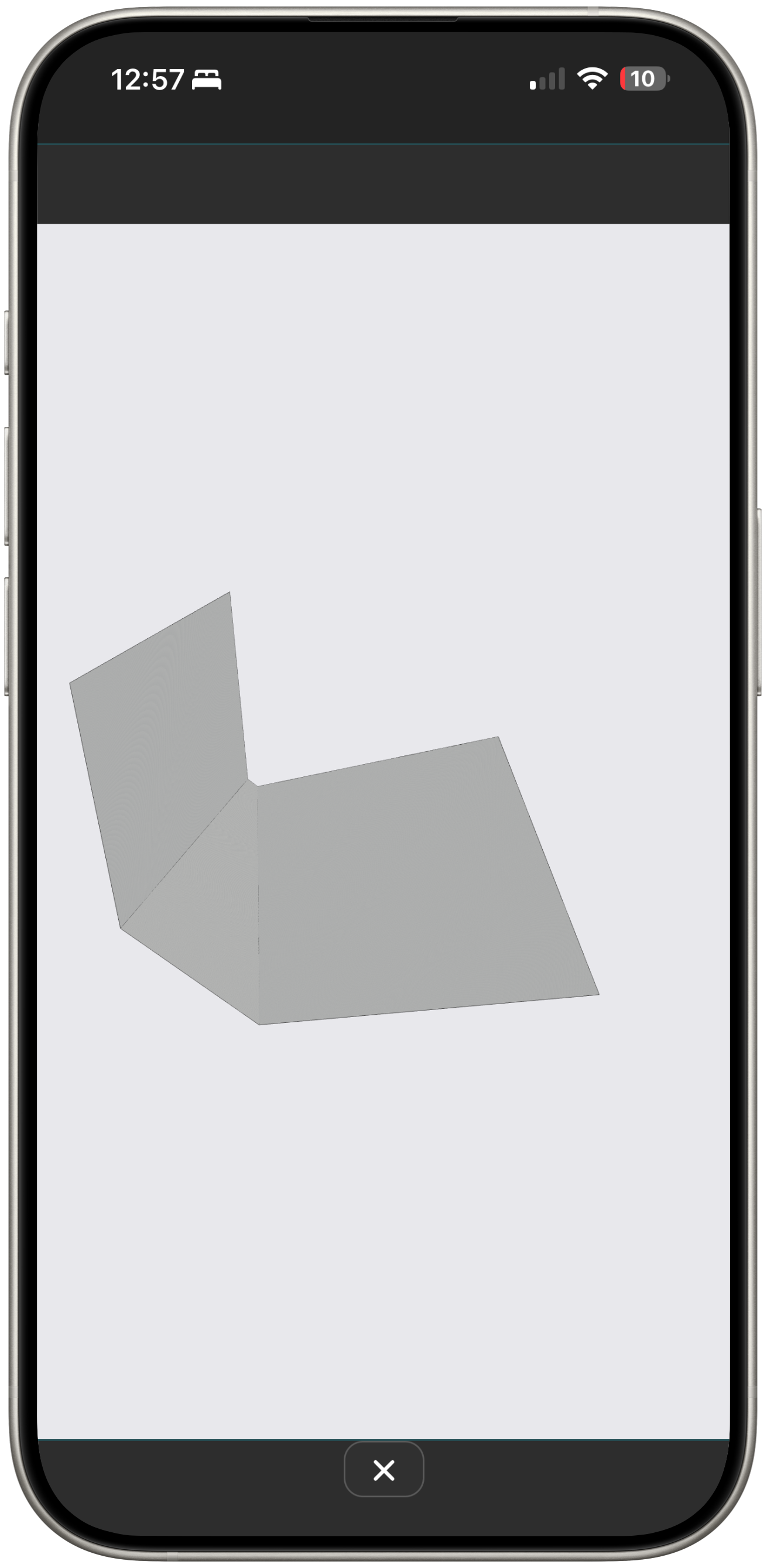
Preview in 3D
Flip to 3D to check the bends before you save a template or export the shop PDF.
Save templates for repeat profiles
Store common designs as templates. Open one when you need it, tweak a length or angle, hit save, and keep moving without redrawing from scratch.
Orders stay on the job
As soon as you send an order it is saved to the job. Anyone with access can open it, check status, and on install day the labels show any crew where each flashing or trim piece goes.
Export manufacturer-ready PDFs
Send a clear shop PDF. Sheet metal shops can fabricate from Quick Flash PDFs without redrawing your sketch.
Stop the back-and-forth when the shop cannot read the drawing
Most flashing orders still leave the roof as paper sketches, scribbles on timber, or bits of fibre cement, then get topped up with blurry photos and missing measurements. Manufacturers guess, material is manufactured wrong, and you pay for the rework. Quick Flash captures the full profile with the lengths, angles, and crush detail the brake needs, plus a clear breakdown for the shop, so the installer and the manufacturer work from the same order and incorrectly made flashings drop sharply.
Flashing designer FAQ
What is the difference between flashings and trim?
What is the Quick Flash Flashing Designer?
How detailed can profiles be?
Can I save flashings and trim as templates?
Will sheet metal shops accept the PDF?
Does it replace paper sketches and phone photos?
Is this only a drawing app, or part of roofing software?
Does it work on mobile?
Try the Flashing Designer on your next profile
Start a free trial and draw a custom flashing or metal trim PDF your shop can bend.